Hey, folks! I’m Marta.
Live streaming has become so common that we no longer bat an eye seeing our favorite influencer sharing their day-to-day, a friend broadcasting a concert, or even our aunt Paqui live-streaming her grandson’s first communion so relatives who live far away can watch. Technology has evolved so much that what used to require a full production team now fits in anyone’s pocket. It’s as if we’d gone from needing a film studio to shoot a movie to being able to do it with a phone; the barrier to entry has dropped drastically.
For those who want to start simply, social networks offer the most accessible options. Instagram Live, Facebook Live, TikTok Live or YouTube Live let you start broadcasting with literally a couple of taps on the screen. You only need the corresponding app, an account and a stable internet connection. The quality will depend on your device and your connection, but for informal or personal events, it’s usually more than enough. It’s like cooking with the basic ingredients you have at home: you might not win a Michelin star, but the result is perfectly enjoyable.
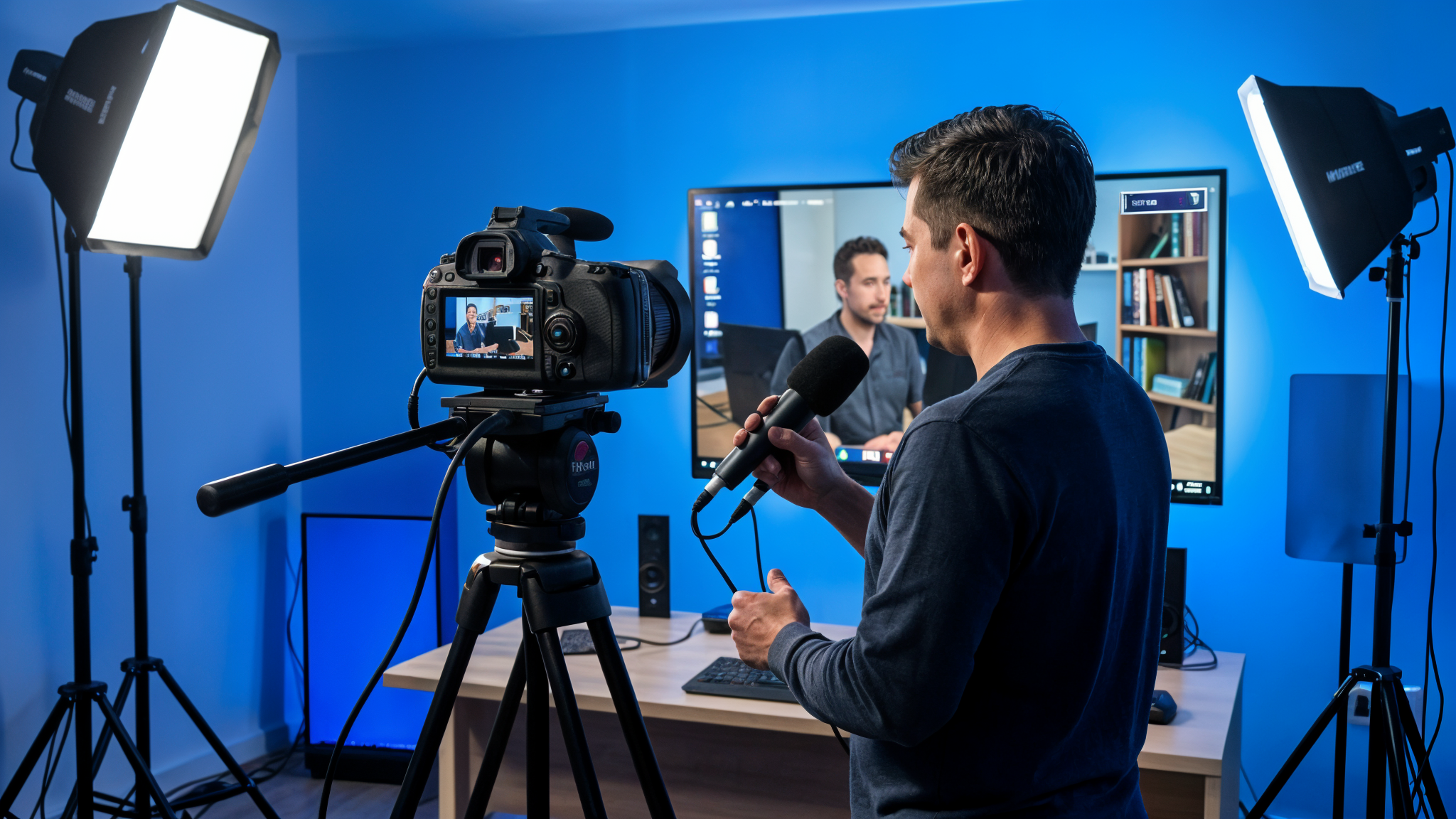
If you’re looking to take a step up in quality and professionalism, you’ll need more than your smartphone. A dedicated camera (it can be a DSLR, a mirrorless or a camcorder), an external microphone to improve the audio (because yes, audio is as important as, or more important than, the image), and some kind of controlled lighting will make a notable difference. Connecting these devices to your computer requires video capture cards such as the Elgato Cam Link or similar, which convert your camera’s signal into something your computer can process as if it were a webcam. It’s like going from cooking with the basics to having specialized utensils: the extra effort and investment show in the final result.
Streaming software is another crucial component. OBS Studio (Open Broadcaster Software) has become the industry standard for amateur and semi-professional broadcasts, and the best part is that it’s completely free and open source. It lets you set up scenes, switch between different video sources, add graphic overlays, text, logos, and even basic visual effects. Streamlabs OBS and XSplit are popular alternatives, each with its own advantages. It’s like choosing between different photo-editing programs: they all basically do the same thing, but with slightly different interfaces and features.
The platform where you broadcast is another important decision. Twitch dominates the world of gaming and live entertainment, YouTube offers better integration with its on-demand video ecosystem, Facebook has enormous potential reach thanks to its user base, and platforms such as Vimeo or IBM Cloud Video (formerly Ustream) are more geared toward the business and professional sector. Each has its own rules, monetization systems and communities. It’s like choosing which neighborhood to open your shop in: the location largely determines who will see your content.
The internet connection is the Achilles’ heel of any live broadcast. You can have the best equipment in the world, but if your connection is unstable or slow, your stream will be a disaster. For an HD broadcast (720p), you need an upload speed of at least a stable 5 Mbps. For Full HD (1080p), better to count on 10 Mbps or more. And if you want to venture into 4K, get ready to need at least 25 Mbps of constant upload. It’s like organizing a party: you can have the best food and decorations, but if the location is inaccessible, no one will come.
For more complex events, such as concerts, conferences or sports competitions, you’ll probably need a multi-camera approach. This means having several cameras recording simultaneously from different angles and a video mixer (hardware or software) to switch between them in real time. Devices like the Blackmagic Design ATEM Mini have revolutionized this field, offering professional capabilities at relatively affordable prices. It’s like going from being a lone cook to running a team in a professional kitchen: more complex but with much more impressive results.
Audio, as I mentioned before, is crucial and often underestimated. A video with poor image quality but good sound is still consumable, while the opposite is practically unbearable. For events with speakers, interviews or musical performances, investing in quality microphones and an audio mixing console is essential. Options like wireless lavalier microphones for moving speakers, condenser microphones for static voices, or specific pickup systems for musical instruments can make an enormous difference. It’s like salt in cooking: it’s not the main ingredient, but without it, everything tastes bland.
Interaction with the audience is another aspect that separates a good live broadcast from an excellent one. Responding to comments in real time, incorporating audience questions, running instant polls, or even letting viewers influence the content in some way creates a much more immersive experience. Tools like Streamlabs or StreamElements offer widgets and overlays that make this interaction easier. It’s like the difference between giving a one-way lecture and moderating a dynamic conversation: active participation creates a much deeper connection.
In conclusion, live-streaming events is today more accessible than ever, but the level of complexity and quality can scale as much as your budget, technical knowledge and ambition allow. From casual broadcasts with a smartphone to multi-camera productions worthy of professional television, there are options for all levels and needs. The important thing is to understand that every element (image, sound, connection, interaction) plays a crucial role in the final experience, and that it’s worth investing time to learn and improve each aspect gradually. Because at the end of the day, what really matters is connecting with your audience and offering them an experience worthy of their time and attention. Until next time, streaming friends!