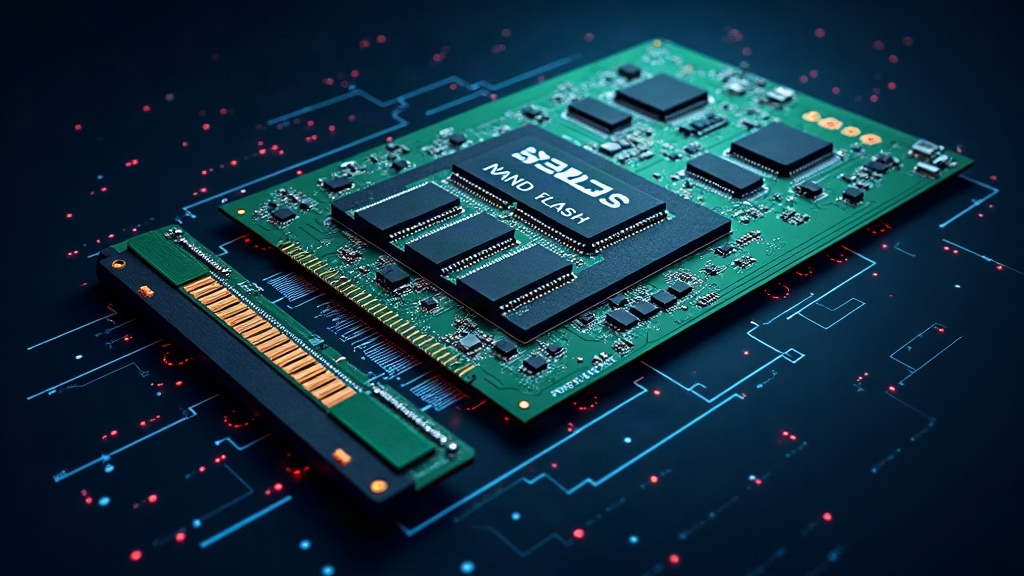
For more than half a century, the word “disk” described something literal: metal platters spinning at thousands of revolutions per minute, with a mechanical arm positioning a needle to read the data. That paradigm has been broken. Today, your laptop’s storage no longer has moving parts: we are talking about SSDs (Solid State Drives), devices that store your files on NAND flash memory chips. This article explains, without beating around the bush, how that technology that made the spinning and the noise disappear works.
From spinning platters to transistors
A traditional hard drive (HDD) records data by magnetizing areas of metal platters. Performance depends on the rotation speed and on how fast the mechanical arm moves to the correct track: finding a random piece of data can take milliseconds. An SSD eliminates all that mechanics. The data lives on NAND flash memory chips, a type of non-volatile memory that keeps the information even without electricity. Reading or writing no longer requires moving anything physical, only applying controlled voltages to microscopic transistors.
What NAND flash memory is
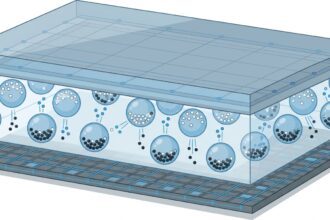
NAND flash is organized into cells, each made up of a floating-gate transistor. The key is that this transistor can “trap” electrons in an insulated layer: if there is stored charge, the cell reads as a 0; if it is empty, as a 1. That is the bit. To write, electrons are forced through an insulator via tunnel injection by applying a high voltage; to erase, they are extracted with reverse polarity.
The process is not perfect: each injection and extraction of electrons degrades the insulator. That is why cells have a limited lifetime of write cycles. To delay that wear, manufacturers divide cells into types according to how many bits they store per cell: SLC (1 bit), MLC (2), TLC (3) and QLC (4). The more bits per cell, the cheaper the capacity, but the lower the endurance and speed. A modern consumer SSD almost always uses TLC or QLC, while high-end server ones still bet on SLC or MLC.
The controller: the brain that coordinates everything
NAND memory alone is useless without a controller, a dedicated processor (often with ARM cores) that manages the logical-physical map: the Flash Translation Layer (FTL). This layer is what allows the operating system to write to logical addresses and the SSD to decide where to place them physically. Among its tasks are wear leveling (distributing writes evenly so no cell wears out before the others) and garbage collection, which compacts blocks with orphaned data.
There is an important particularity: NAND cannot be overwritten bit by bit. Before writing over data you have to erase a whole block, and erasing is slow and wearing. To avoid this, the controller always writes to free blocks and marks the old ones as “dirty”, which are cleaned up in the background. That complex dance is what makes a low-cost SSD able to go slower when it fills up: it has fewer free blocks and more garbage collection to do.
SATA, NVMe and PCIe: how data travels
The NAND chip and the controller are the heart, but the speed you notice also depends on the interface through which the SSD talks to the rest of the computer. The oldest is SATA, originally designed for spinning disks and limited to about 550 MB/s. Modern SSDs use NVMe, a protocol designed specifically for flash memory that travels over the PCI Express (PCIe) bus. With PCIe 4.0 or 5.0, an SSD can exceed 7,000 MB/s: more than ten times SATA.
NVMe is not only faster because of bandwidth: it also reduces latency by creating deep, parallel command queues. While SATA processed requests almost one at a time, NVMe can handle tens of thousands of simultaneous operations, something essential for databases and server workloads.
The TRIM command and the erasing problem
When you delete a file, the operating system simply marks that space as available: it does not tell the SSD which data it can really erase. This is where the TRIM command comes in, an ATA instruction that informs the SSD which blocks no longer contain useful data. Thanks to TRIM, the controller can clean them in advance and keep free blocks ready to write, preventing performance from degrading with use. Without TRIM, an SSD would slow down progressively until it resembled a hard drive.
DRAM cache and over-provisioning
To smooth out write spikes, many SSDs include a small amount of DRAM cache that temporarily stores data before dumping it to NAND. In models without DRAM, a portion of the NAND itself is used in SLC mode as a cache (SLC caching). In addition, all SSDs reserve an invisible part of their capacity, the over-provisioning, which is not accessible to the user. Those extra blocks give the controller room for wear leveling and garbage collection without it being noticeable.
How long does an SSD last?
The official lifetime metric is TBW (Terabytes Written): the total amount of data the SSD can write before the cells fail. A typical consumer SSD offers several hundred TBW, more than enough for a decade of normal laptop use. The advantage over the hard drive is enormous: without moving parts, there is no head that can crash, and tolerance to shocks and vibrations is much higher. When failure comes, it is usually silent and sudden, so backups remain essential.
The future: toward more layers and more density
Manufacturers already stack more than 200 layers of NAND memory inside each chip (3D NAND), multiplying density without shrinking transistors. The race now is on high-capacity QLC memories and alternatives such as Optane memory (from Intel, now in decline) that tried to combine RAM speed with storage persistence. Meanwhile, SSDs have become the standard: the revolution was not making the disks spin faster, but stopping spinning them altogether.