You unplug your SSD, put it in a drawer, and two years later you pull it out and plug it back in. Are your photos still there? The short answer is probably yes. The long answer hides the physics of NAND flash memory, a technology that stores data in what amounts to leaky buckets of electricity.
Flash memory is not a hard drive
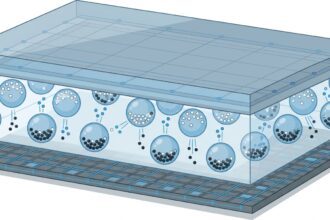
A NAND SSD stores nothing magnetically. It holds an electrical charge in a structure called the floating gate, an isolated island of silicon inside each memory cell. Writing means injecting electrons into that island through an oxide barrier; reading means measuring how many electrons remain inside. It is a physical process, and like everything physical, it decays.
The smallest unit of reading is the page (typically 4 KiB), but the smallest unit of erasing is the block (which groups hundreds of pages). This asymmetry, unknown to the world of magnetic disks, defines almost all of an SSD strange behavior: a page cannot be overwritten in place; you first have to erase an entire block.
Public enemy number one: the oxide that wears out
Every program/erase cycle forces electrons to cross the oxide barrier of the floating gate. That repeated transit degrades the material: the oxide breaks down, loses its insulating quality and starts letting charge escape. Manufacturers measure this in P/E cycles (program/erase), and the number depends on the cell type.
SLC cells (Single-Level Cell) hold 1 bit per cell and withstand on the order of 100,000 cycles, but they are expensive. QLC cells (Quad-Level Cell), with 4 bits per cell, multiply capacity but cut endurance to around 1,000 cycles. Storing more bits per cell means voltage levels packed closer together, and therefore more sensitive to the leakage of electrons.
Retention: when electrons escape on their own
Here lies the key to your unplugged SSD. The electrons trapped in the floating gate do not stay motionless forever: they slowly filter out through the oxide in a phenomenon called charge leakage. While the SSD is powered on, its controller reads the cells, notices the level has dropped, and rewrites the data to recharge them. That is known as data refresh.
But with the power off, nobody does that job. The longer the drive sits without power, the more charge is lost and the closer each cell drifts toward the threshold where a 1 gets read as a 0. Manufacturers usually specify a data retention of 1 to 5 years under normal temperature conditions, but that figure collapses with heat and with cells heavily worn down by intensive write cycles.
Reading also destroys: read disturb
Here is a counterintuitive detail: just by reading your SSD degrades. To read a page, the controller applies a read voltage to the whole line of cells in the block, and that voltage induces leakage in neighboring cells that are not being read. That is read disturb, an effect that, accumulated, can corrupt adjacent cells without a single byte being written.
Modern controllers mitigate it by counting reads per block and proactively refreshing blocks that cross a threshold. That is why an SSD also wears out under read-only use, though much more slowly than with writes.
The controller balancing act
The brain behind all this management is the SSD controller, a small processor running dedicated firmware. Its job is to balance two conflicting goals: making data last (retention) and wearing all cells evenly (endurance).
For the latter it uses wear leveling, spreading writes across the whole chip instead of hammering the same cells. For the former, together with the operating system, it uses the TRIM command: when you delete a file, the OS tells the SSD which blocks can be discarded, letting the controller erase them at idle and leave them clean without needless copies. Without TRIM, the SSD works with garbage data, increases write amplification and wears cells out sooner.
And in practice, how long does it really last?
Most modern consumer SSDs outlast anything a typical user writes in years. Retention at rest, however, is not infinite: for a file you will not touch for years, the right medium is still a copy on a magnetic drive or in the cloud. An SSD is extraordinary for fast, frequent access; it is mediocre as a long-term vault.
The next time you see the TBW (terabytes written) figure on an SSD spec sheet, you will know that behind it lie an oxide that wears out, electrons that escape, and a controller fighting a constant battle against physics so your data survives.