
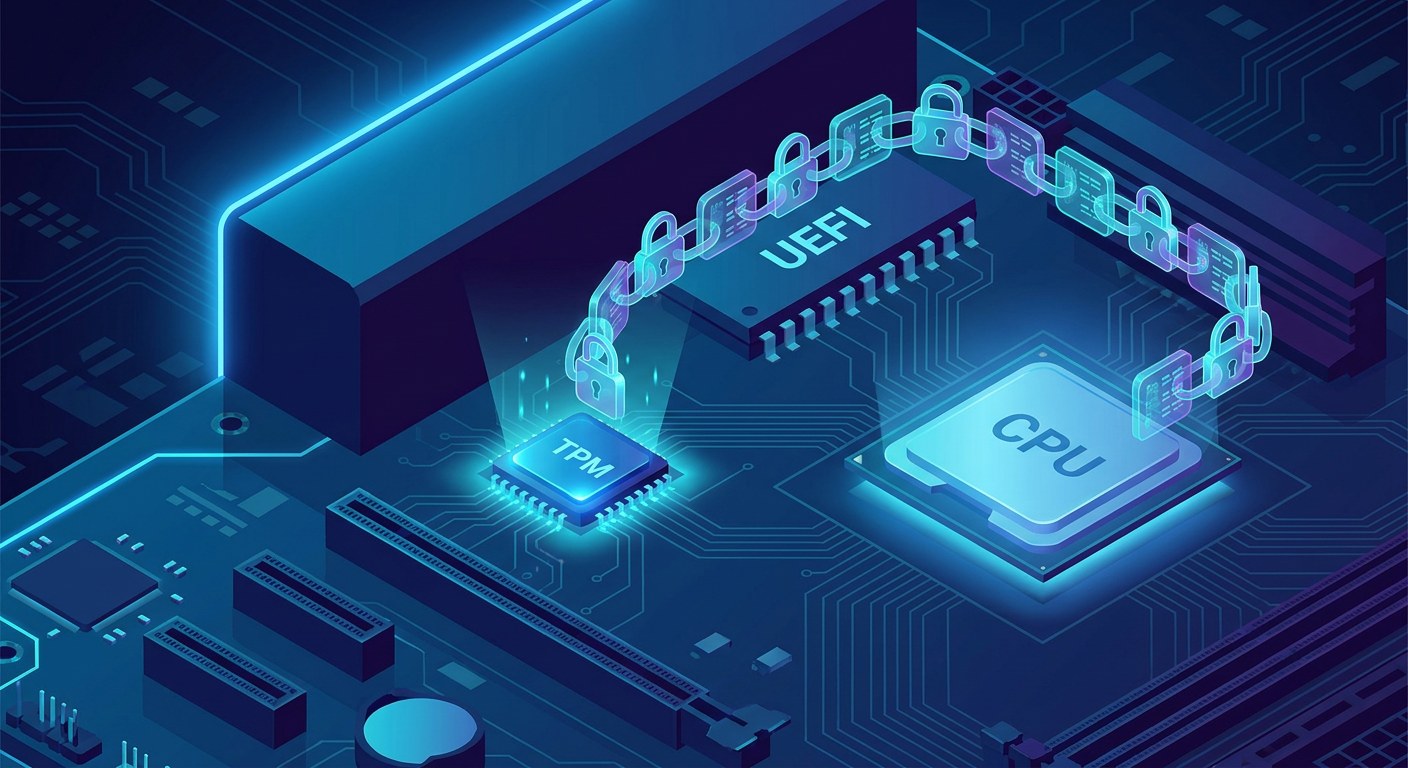
You press the power button and, during the first half second, your computer does something almost nobody sees: it checks that it can trust itself. That is not a metaphor. Before the operating system exists, a chain of cryptographic signatures passes the baton from the very first firmware instruction to the kernel, and a chip soldered to the motherboard holds the keys and records every step. If anything changed along the way, the chain breaks and the machine knows it.
Secure Boot: the list of what may start
On a modern UEFI PC, the firmware does not run whatever it finds on disk. Before launching an executable it checks its signature. Those executables are PE/COFF binaries, the same container Windows programs use, and the signature travels inside the file as an Authenticode block: a hash of the content encrypted with the vendor’s private key, which the firmware verifies with the matching public key.
The lists live in the motherboard’s non-volatile memory, in UEFI variables whose names sound like jargon but are easy to read:
- PK (Platform Key): the platform’s root key. Whoever controls it controls the rest.
- KEK (Key Exchange Key): the keys allowed to modify the lists below.
- db: the certificates and hashes of what may run.
- dbx: what is forbidden, even if it is signed by someone in
db.
That last list is the interesting part. dbx lets you revoke a loader that was legitimate yesterday and carries an exploitable bug today. The best-known case was BootHole, in 2020: the GRUB bootloader shipped by many Linux distributions included a parser for its configuration file with a buffer overflow, and because GRUB was signed and ran before the kernel loaded, an attacker with disk access could execute code with the highest privileges on the system without touching the signature. The fix was not just patching: the old binaries had to be revoked in dbx and the whole chain re-signed.
Secure Boot on its own does not say the software is good. It says it is the software the vendor approved. A careless vendor can put a vulnerable driver into db, and then the chain of trust becomes a chain of custody for something that should not be there.
The TPM decides nothing: it stores and attests
The TPM (Trusted Platform Module) is a small chip, usually soldered to the board and wired to an SPI or LPC bus. One misconception is worth clearing up: it is not a guard that approves or blocks boot. It is a passive store plus a crypto engine. It does three things: it keeps private keys that never leave the chip, it produces high-quality random numbers, and it computes hashes that can prove the state of the machine.
The current version is TPM 2.0, with separate hierarchies for platform, storage and endorsement. Every chip carries a unique endorsement key, the EK, with a certificate issued by its manufacturer; that is what makes one chip distinguishable from another. It can be a discrete chip (dTPM, from vendors such as Infineon or Nuvoton) or an implementation inside the processor firmware (fTPM, in AMD’s secure environment or Intel’s management engine). The fTPM saves money but shares silicon with the CPU, and it has had well-known problems, such as the intermittent stutter in cryptographic operations on Ryzen that forced a double reboot.
The PCRs: twenty-four slots that can only accumulate
The core of measured boot is the PCR set (Platform Configuration Registers): 24 registers, numbered 0 to 23, 32 bytes each with SHA-256. They have an unusual property: they cannot be written. They can only be extended, with an operation that hashes the previous value concatenated with the new one:
PCR[n] = SHA256(PCR[n] || component_hash)
That makes the result depend on everything measured and on the order in which it was measured, and it makes a measurement impossible to undo. If a component changes, the final value changes unpredictably. The TPM does not need to understand what it is measuring: accumulating fingerprints is enough.
The usual split is this: PCRs 0 to 7 collect firmware, option ROMs from add-in cards and boot options; 8 and 9 collect the bootloader command line and the files it loads (this is where you see whether someone added a parameter such as init=/bin/sh); 7 reflects the state of Secure Boot, with its keys and whether it is enabled; 11 collects the hash of the partition holding BitLocker. Each step measures the next before handing over control, which is why it is called a chain of trust.
Sealing a key to the state of the machine
Here is the part users actually notice. BitLocker does not keep the disk encryption key in a file: it derives it and hands it to the TPM under a sealing policy that includes the expected values of certain PCRs. The TPM releases it only if the measurements match exactly. This is cryptography, not string comparison: the key is encrypted under a key derived from the measured state.
The practical effect cuts both ways. If someone boots the laptop from a modified USB stick, with a different loader or a changed boot order, the PCRs change, the TPM refuses to release the key and Windows asks for the 48-digit recovery key. And if someone pulls the disk and plugs it into another machine, they find encrypted data. The trade-off: a BIOS change, a firmware update or a new module can trigger that prompt, which is where many people discover they never saved their recovery key.
Proving the state to a third party
The TPM also enables remote attestation. The machine generates an attestation key (AK) and signs a quote with it: a package containing the current PCR values and a nonce sent by the server to prevent replays. The server compares those values against a reference for a healthy machine and decides whether to trust it. This underpins enterprise features such as conditional access: if the laptop cannot prove it booted the right firmware, it does not reach the corporate network even with valid credentials.
The limits: a guard with its hands tied
None of these pieces is magic, and it is worth knowing where they break. The TPM is passive: if an attacker controls the link between the CPU and the chip, they can listen. In January 2025 researchers presented BitUnLocker, a technique using a cheap microcontroller inserted into a laptop’s TPM bus to capture the key BitLocker hands over at boot; it works because the bus is unencrypted and the chip cannot tell who it is talking to. The real defence is physical: solder the chip, protect the board, and accept that whoever holds the machine and has time wins.
Nor does Secure Boot stop every boot attack. For years attackers have used signed but vulnerable drivers to bypass protections once the system is up (the technique known as BYOVD, bring your own vulnerable driver), and the response has been to revoke them in dbx and tighten signing rules. And measured boot only proves identity, not goodness: if the factory firmware hides a backdoor, the TPM will faithfully measure that firmware and declare it legitimate.
Even so, the underlying idea is sound and worth keeping in mind: a modern computer does not trust the disk, the firmware or the operating system on their own. It trusts that every link measured the next one before handing over control, and that a chip the size of a lentil keeps the record of what happened in that first half second. When something does not add up, the chain breaks and we know.