Containers: the packaging that changed how applications travel
At the end of the twentieth century a common problem in data centers was the “it works on my machine” issue. An application that ran perfectly on the developer’s laptop broke on the server: a library was missing, the Java version was different, the port was already occupied. For decades the solution was the virtual machine: an entire computer emulated inside another. But virtual machines are heavy — each one drags along a complete operating system. From 2013 a thinner alternative arrived that today dominates the internet: containers.
What exactly is a container?
A container is an isolated process that packages an application’s code together with all its dependencies: libraries, binaries, configuration files and environment variables. The key is in the verb “isolated”: the container believes it has its own operating system, even though in reality it shares the host’s kernel (the core) with all the other containers.
That is the big difference from the virtual machine. The VM virtualizes the hardware and loads a complete guest operating system, with its own kernel — hundreds of megabytes, sometimes gigabytes, that take minutes to boot. The container only virtualizes the user space and reuses the host kernel: it weighs tens of megabytes and starts in milliseconds. On the same physical server you can launch dozens of containers where before three or four virtual machines fit.
How the isolation is built
The trick is not the magic of new software, but an intelligent combination of mechanisms that had been in the Linux kernel for years. Three are the protagonists.
Namespaces isolate what the process “sees”: a container’s PID 1 is not the host’s PID 1; its network, its file system, its users and its hostname are separate worlds. The process thinks it owns the machine, when in reality it is a tenant.
cgroups (control groups) limit what the process can spend: CPU quota, maximum memory, input and output bandwidth. If a container goes out of control and consumes all the RAM, the kernel slows it down or kills it without taking down its neighbors. It is the guarantee that a noisy tenant will not ruin the party.
And finally, capabilities and seccomp (secure computing) trim the privileges: the dangerous system calls are removed from the process, so that even if an attacker breaks the application they do not automatically get control of the machine. Security here is based on defense in depth: several independent layers.
The image: the construction blueprint
A container is created from an image, an immutable and versioned file that describes the application and its environment. Images are built with a Dockerfile, a small script that lists the steps: “start from this base, install these dependencies, copy this code, expose this port, run this command”.
The image is not a single block, but a stack of layers. Each Dockerfile instruction generates a layer, and Docker caches the layers that have not changed. If you only modify the source code, the system reuses the dependency layers and only recompiles the new stuff. That is why uploading and downloading images through a registry (a central image repository, such as Docker Hub) is so fast: servers share common layers instead of sending everything from scratch each time.
When you launch a container, an ephemeral write layer is added on top of the immutable image: everything the application writes while running stays there and disappears when the container shuts down. That is what makes containers so disposable: you can kill and recreate them thousands of times without dirtying the system.
The OCI standard and the ecosystem explosion
So that so many tools could talk to each other, in 2015 the Open Container Initiative (OCI) was created, which defined two standards: the image format and the runtime spec. Docker, which had popularized the idea, ended up donating its engine to containerd (maintained by the Cloud Native Computing Foundation), and today that is the runtime most production containers run on. That is why “making a container” no longer means “using Docker”: there are Podman, containerd, CRI-O and other engines that comply with the same standards.
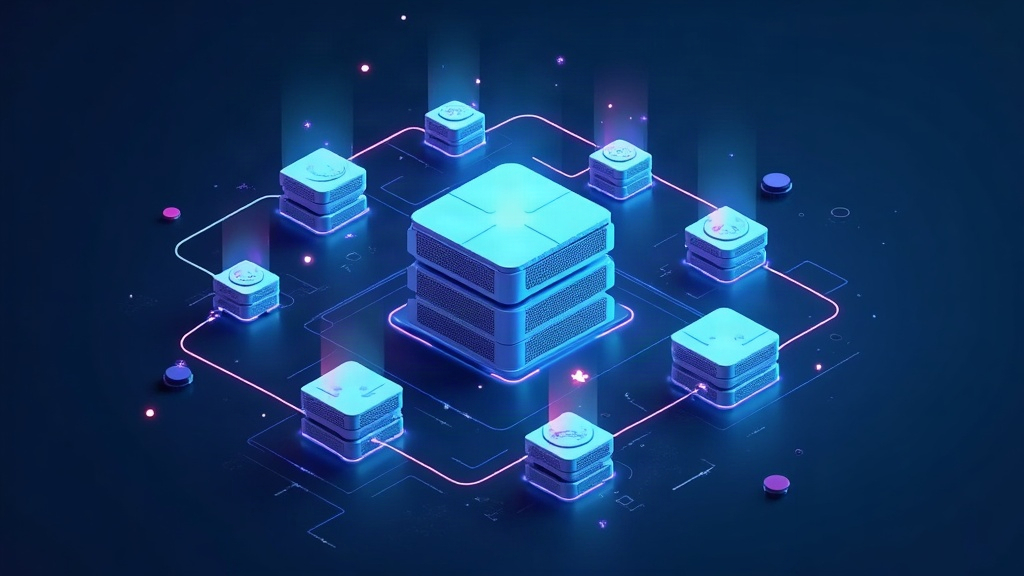
The next problem was scale. In production you do not launch one or two containers: you launch hundreds. Who decides which server each one goes on, who restarts the one that crashes, who balances the load? That is what orchestrators were born for, and the one that won the battle is Kubernetes.
Kubernetes, or k8s, groups several servers into a cluster and treats them as a single virtual computer. You declare the desired state — “I want three replicas of this API” — and the control plane works tirelessly so reality matches what you asked for: if a replica dies, the controller launches another one instantly. The application does not know which server hosts it: that abstraction layer is precisely what allows companies like Netflix or Google to scale to millions of requests per second.
The cost and the practice
Containers are not free. Sharing the kernel means all processes run on the host’s same operating system, so you cannot mix a Linux container with an application that requires Windows on the same machine. And isolation, although robust, is thinner than a virtual machine’s: an attacker who manages to escape the container and exploit a kernel vulnerability could compromise the host. That is why in the most demanding environments both are combined: containers inside virtual machines.
In practice, however, the model has taken over. Today almost everything you use daily — the backend of your banking app, the APIs that feed your search engine, the microservices of your streaming platform — runs on orchestrated containers. The journey that used to end in “it works on my machine” now ends with the same image running identically on the laptop, the test server and the production data center. The container did not solve just a technical problem: it eliminated an entire category of excuses at a stroke.